Outlier score
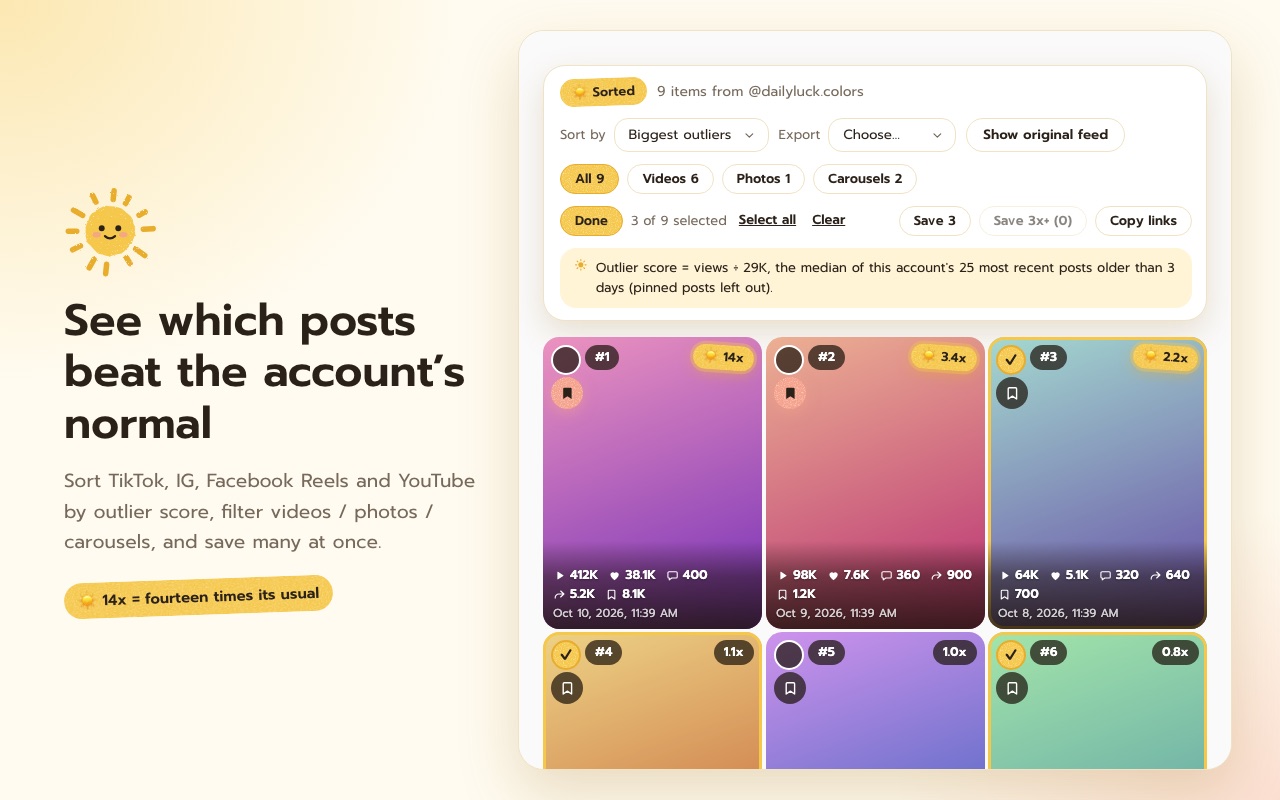
Each post against the account’s own recent median, so 14x means fourteen times its usual. Pinned posts and posts under three days old are left out.
Good morning ☀️
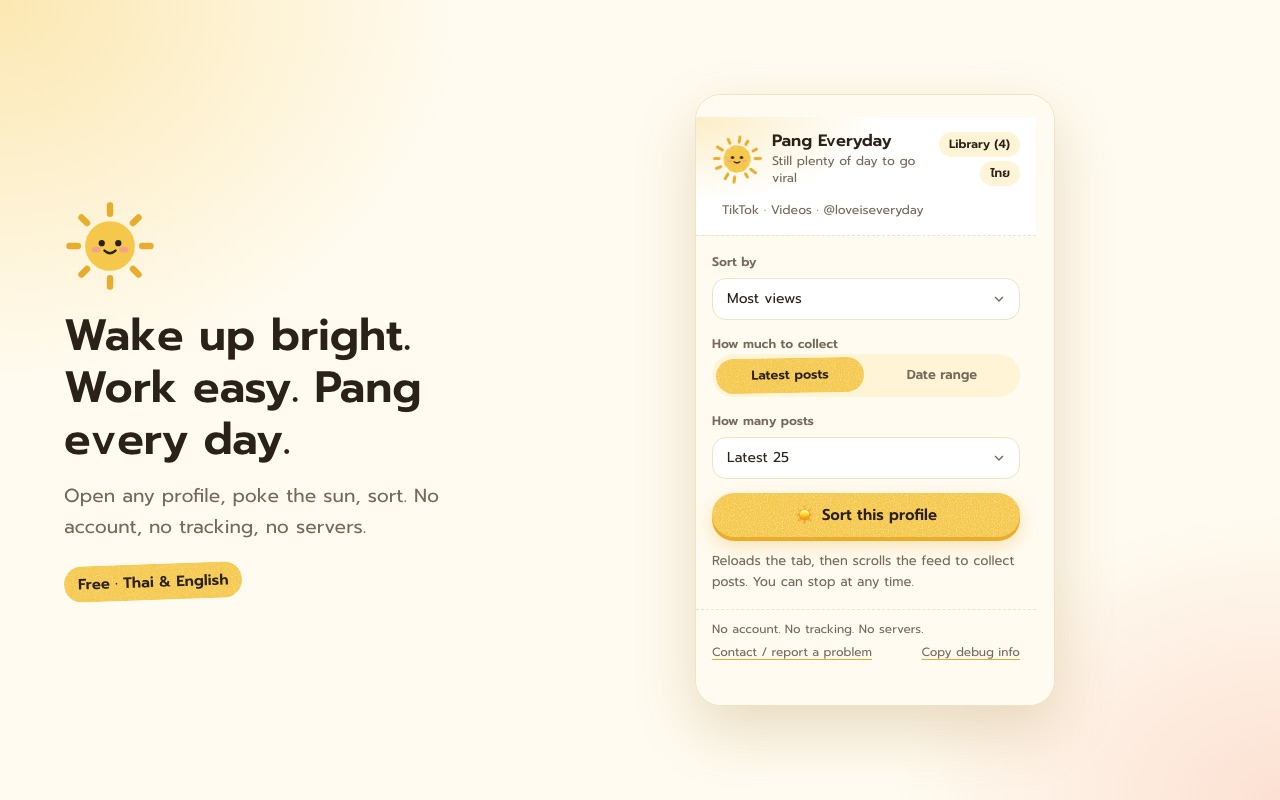
Wake up bright. Work easy. Pang every day.
See which posts on any TikTok or Instagram profile did far better than that account’s normal — and keep them as ideas for your own content, every day.
What it does
Each post against the account’s own recent median, so 14x means fourteen times its usual. Pinned posts and posts under three days old are left out.
Views, likes, comments, shares, saves and date on one grid — even on Instagram, which normally shows none. Re-sort instantly.
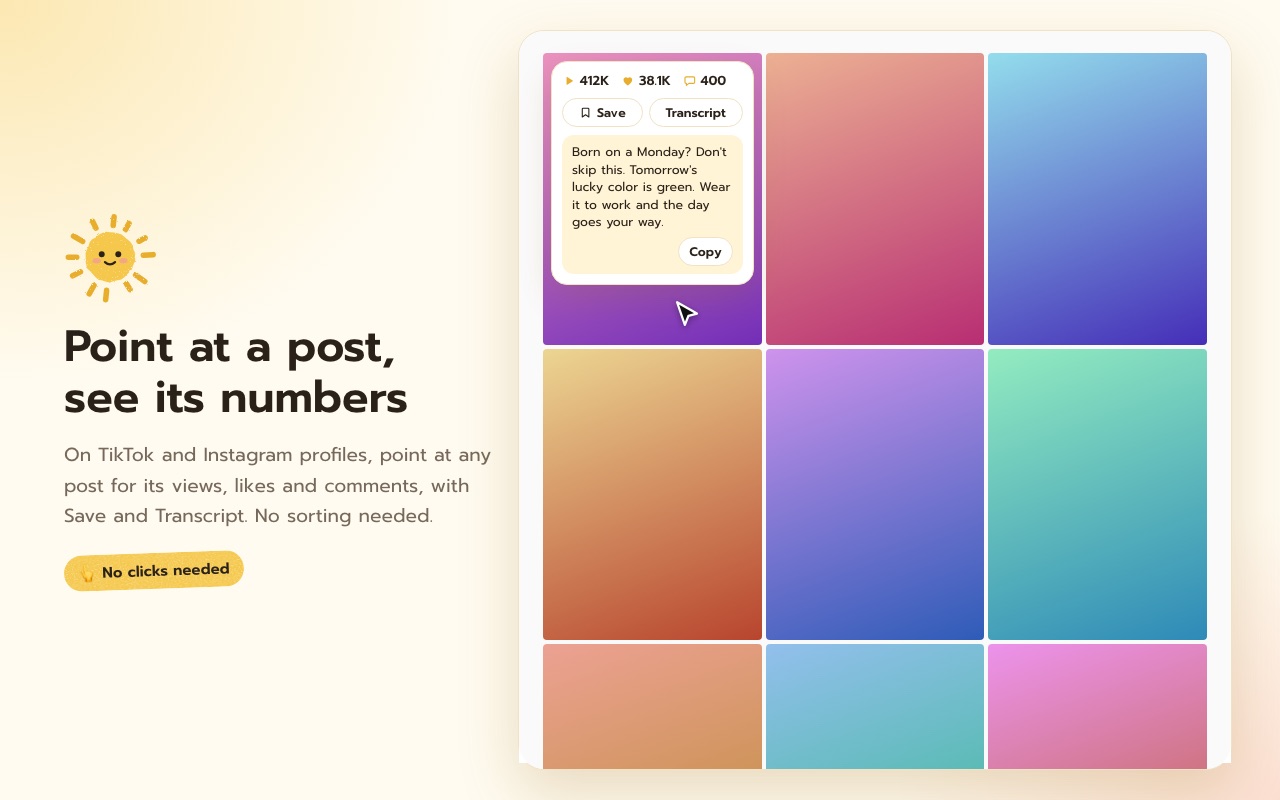
Point at a post on a TikTok or Instagram profile to see its views, likes and comments, with Save and Transcript — no sorting needed.
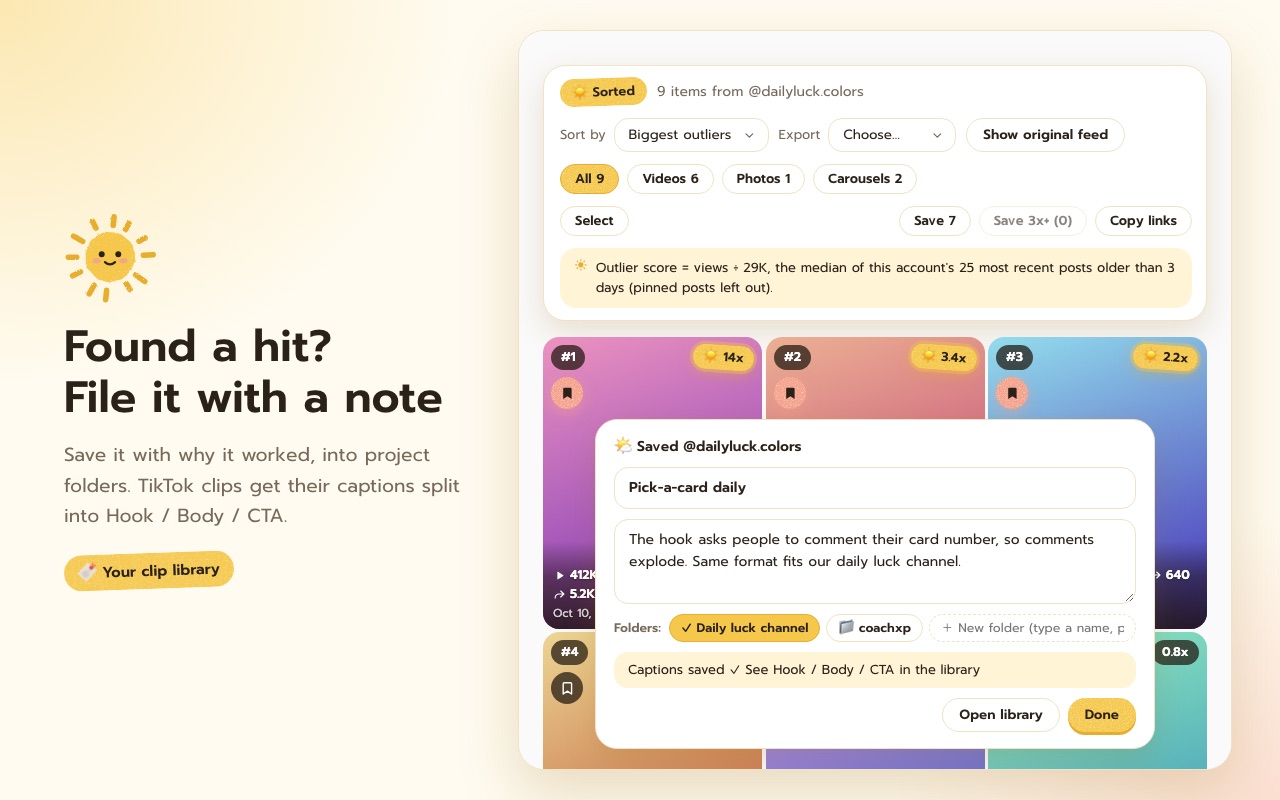
Save the clips worth learning from into project folders, and write down why they worked and how you’d make your version.
For TikTok clips it pulls the auto-captions and splits the first 3 seconds, the body and the closing ask.
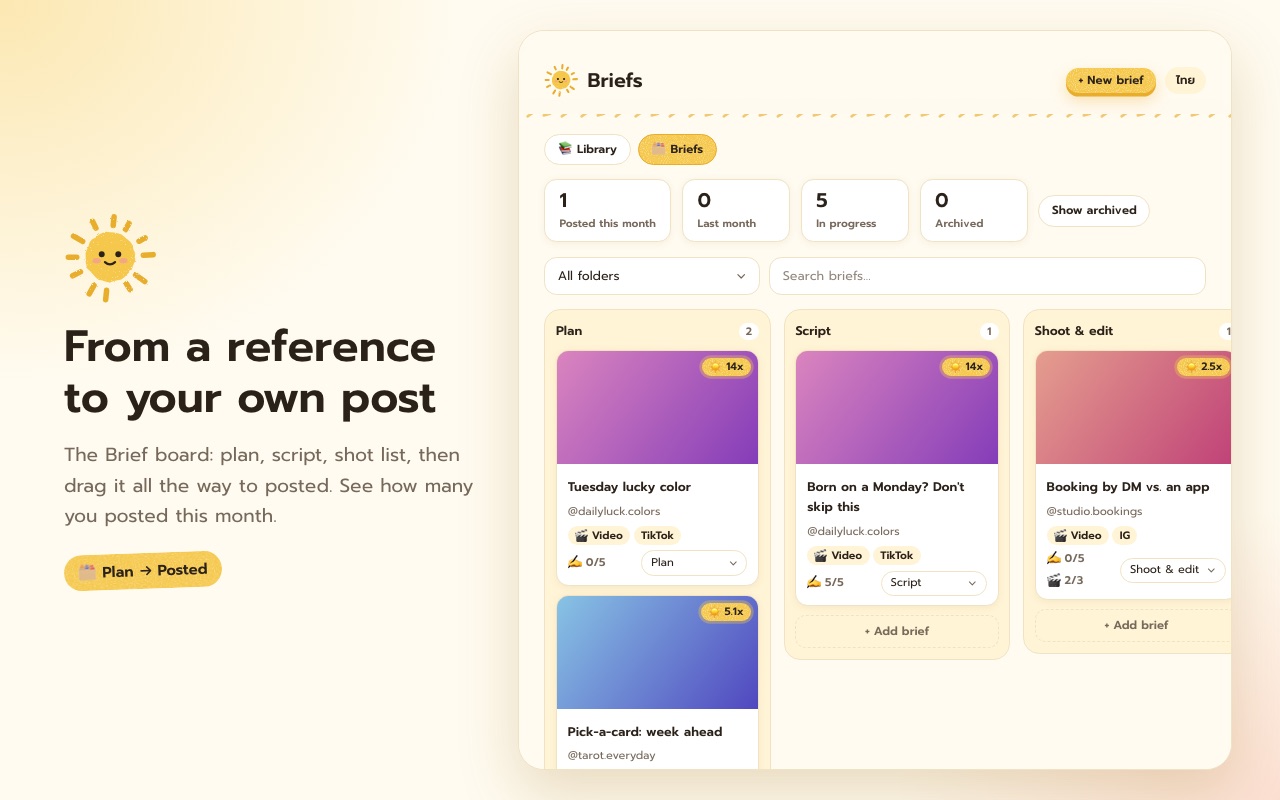
Plan your own clip from a reference — script, shot list — and move it through Plan → Script → Shoot/Edit → Scheduled → Posted.
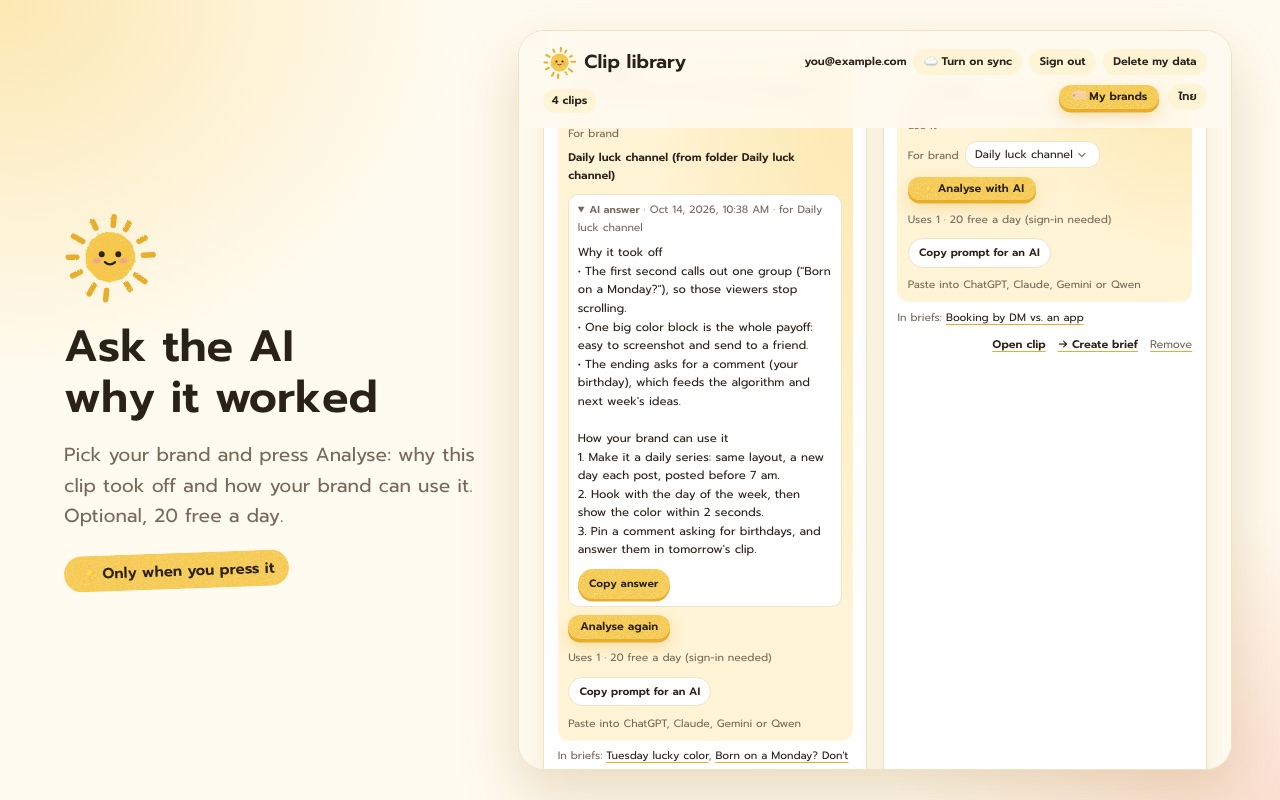
Optional. Sign in with Google and ask the AI why a clip took off and how your brand can use it. 20 free a day.
Optional. Turn on backup & sync and your library, folders and briefs follow you to every computer you sign in on.
How it works
Go to any TikTok or Instagram profile you want to study.
Choose a sort and press “Sort this profile”. It scrolls the feed and collects the posts for you.
Save the hits into a folder, jot a note, then press “→ Create brief” to plan your own — or export to CSV / Excel.
A look inside
Privacy
Sorting, saving, notes and briefs stay in your browser: no sign-up, no ads, no tracking. It reads only what the site already loaded in your tab. If you sign in with Google to use the AI or sync, only what those need goes to our server, and “Delete my data” removes it any time.
Read the full policy →FAQ
Yes. No paid tier and no ads. AI analysis is free for 20 clips a day.
No. Sorting, saving and briefs work right away. Sign in with Google only if you want the AI analysis or sync across computers.
Yes. Install it from the Chrome Web Store or Microsoft Edge Add-ons with the buttons at the top of this page.
It never asks for your password and never forges requests: it scrolls the page and the site loads its own feed, as it would if you scrolled. Platforms have their own terms, so collect modest amounts at a time.
Use “Contact / report a problem” in the popup, or email hello@barkbrainlab.com.
Always free, no ads. Made by the two dogs behind BARKBRAIN. If it helps you, a bowl of dog food keeps us building.